Keep every trial scan polished while the Customer's real destination stays firmly in place.
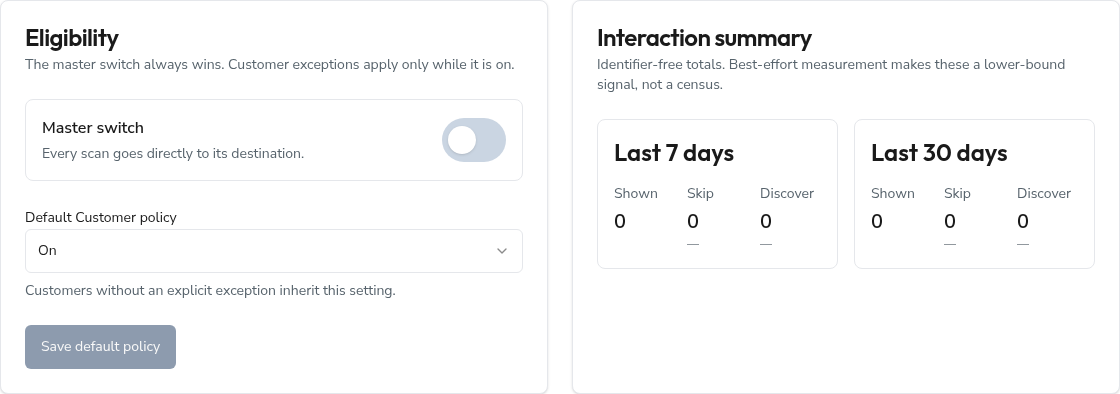
Administrators manage the experience from Admin → Trial Splash. The master switch, shared policy, presentation, Customer exceptions, and a compact interaction summary live on one page.
Set who sees the introduction
The master switch is the final authority. When it is off, every scan goes straight to its real destination—even when a Customer exception says On.
When the master switch is on, Customers set to Inherit default follow the shared default policy. An explicit On or Off exception applies only to that Customer's active trials.
Refine the presentation
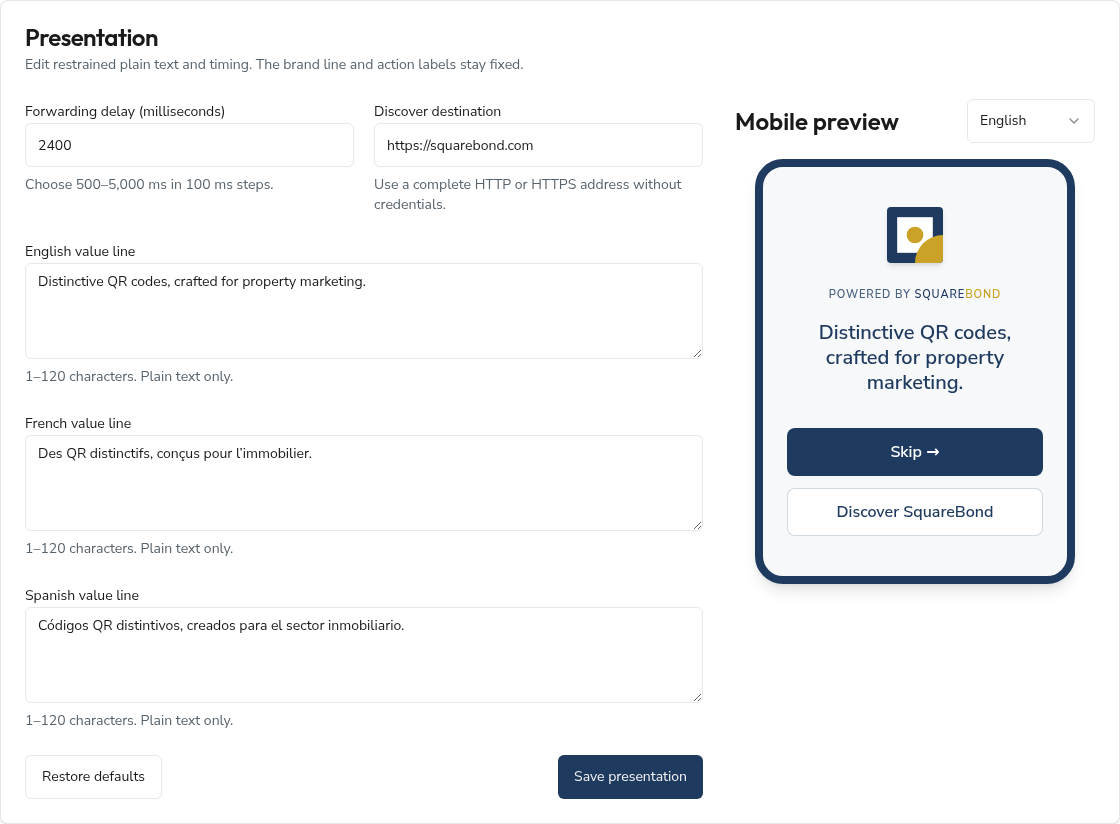
Set a forwarding delay between 500 and 5,000 milliseconds, choose the Discover destination, and
write one plain-text value line for English, French, and Spanish. The default delay is 2.4 seconds
and the default Discover destination is https://squarebond.com.
Use Mobile preview to review each language before saving. The SquareBond signature, Skip action, Discover labels, and layout stay fixed. Restore defaults returns the presentation fields to the canonical SquareBond values.
Set a Customer exception
Search by name or email to find a Customer with an active trial. Choose On or Off for a deliberate exception, or Inherit default to return them to the shared policy.
The exception changes only whether the introduction appears. It never changes the Customer's real QR destination.

Trial scan introduction
During an eligible trial, the Wallet explains that scans include a brief SquareBond introduction and that it disappears when the paid plan begins. The notice applies to Stripe and gifted trials. It stays hidden when the master switch or that Customer's policy is off, so the Wallet never makes a promise the scan experience does not keep.
Read the interaction summary
The 7-day and 30-day cards count Shown, Skip, and Discover interactions without storing a scanner identity. The two action rates are calculated against Shown.
Read the totals as a lower-bound signal, not a census. Known bots and preview fetchers bypass the introduction, an unusual phone may occasionally resemble a bot, and a non-blocking count can be dropped during an interruption. Navigation still completes even when measurement does not.
Verify and roll back
After a change, review all three preview languages and open a controlled eligible short link. Check the timing, copy, Skip destination, and Discover destination.
For an immediate rollback, turn off the master switch. It overrides every Customer policy and sends scans directly to their current destinations. Paid and otherwise ineligible codes always bypass the introduction.
Frequently asked questions
Does the Trial Splash change a Customer's destination?
No. Their current destination remains canonical and can still be changed from the Wallet.
Are scanners tracked individually?
No. The interaction summary stores daily totals only—no QR, Customer, IP address, User-Agent, referrer, cookie, local-storage value, or scanner identifier.
Does an exception apply to gifted trials?
Yes. Stripe and gifted trials follow the same default and Customer-exception rules.