The Dashboard is your portfolio overview — where you stand, what's due next, and where to go from here.
It's the first page you land on after signing in. Four things make it useful: a state-aware banner, three headline numbers, your full QR portfolio, and a row of quick actions.
State banner
When something needs your attention, a banner appears at the top. It only shows when relevant — an active plan in good standing sees no banner at all.

You'll see one in these cases:
- Trial in progress — days remaining and a clear path to keep your items.
- Cancellation pending — the date your plan ends, with an "Undo" action if you change your mind before then.
- Downgrade pending — the plan you're heading to and which items carry over.
- Trial ended / plan terminated — what it means for your printed codes and how to come back.
Every action lives inside the banner — undo, upgrade, item selection — so you won't hunt through settings.
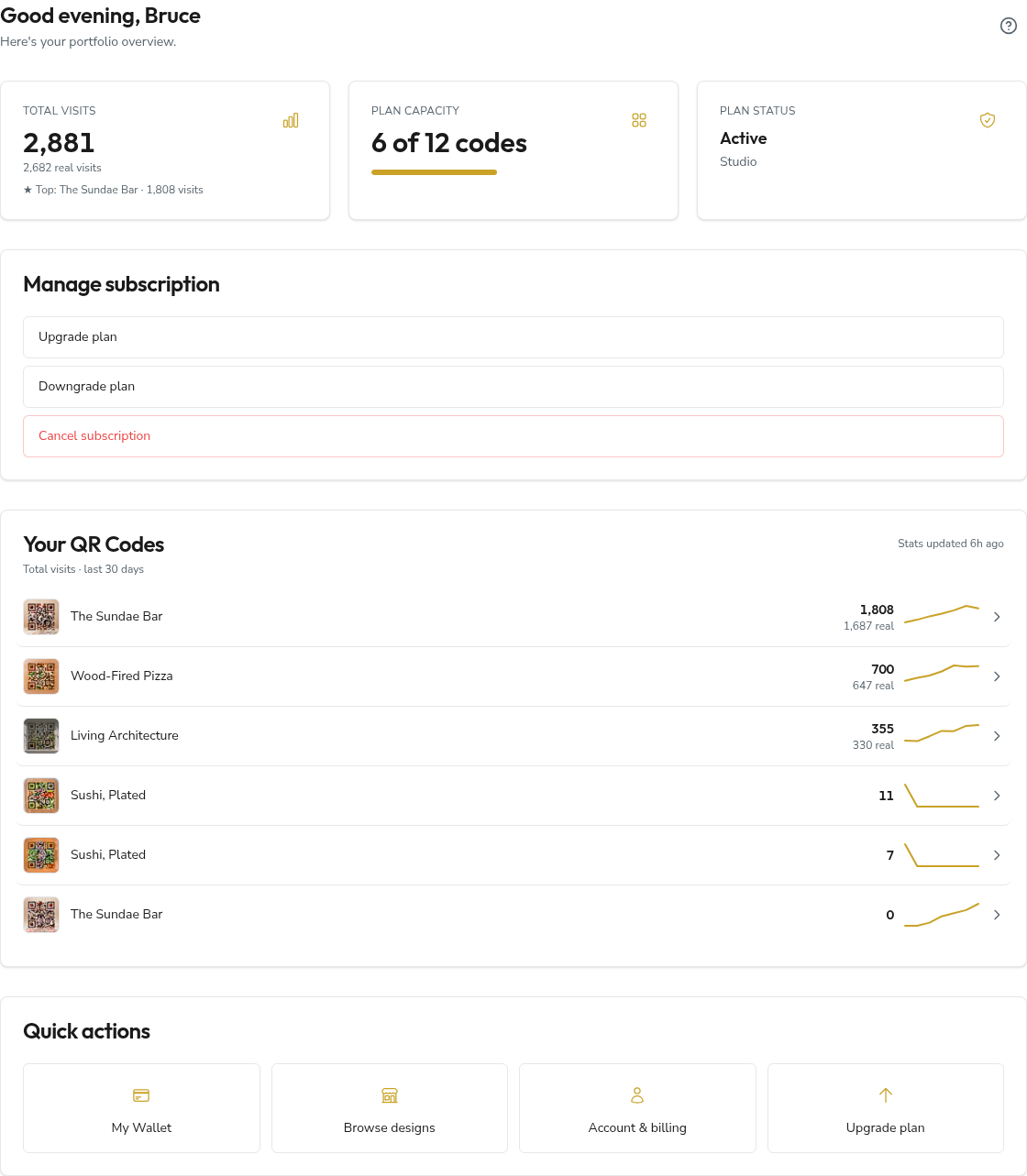
When your plan is active and in good standing, the banner gives way to a Manage subscription card with the same reach — upgrade, downgrade, or cancel, all in one place.
Headline numbers
Three cards, each answering one question.

- Total visits — every scan across all your codes, refreshed live. A "real visits" line filters out bots; a "★ Top" callout names your best-performing code.
- Plan capacity — codes in use against your allowance (
2 of 3 codes), with a progress bar on paid plans. Trial users seeTrial · 1 code. - Plan status — your tier and where it stands: a trial countdown (
13 days remaining), a cancellation date (Cancels 4 May 2026), orDowngrade pending.
Portfolio
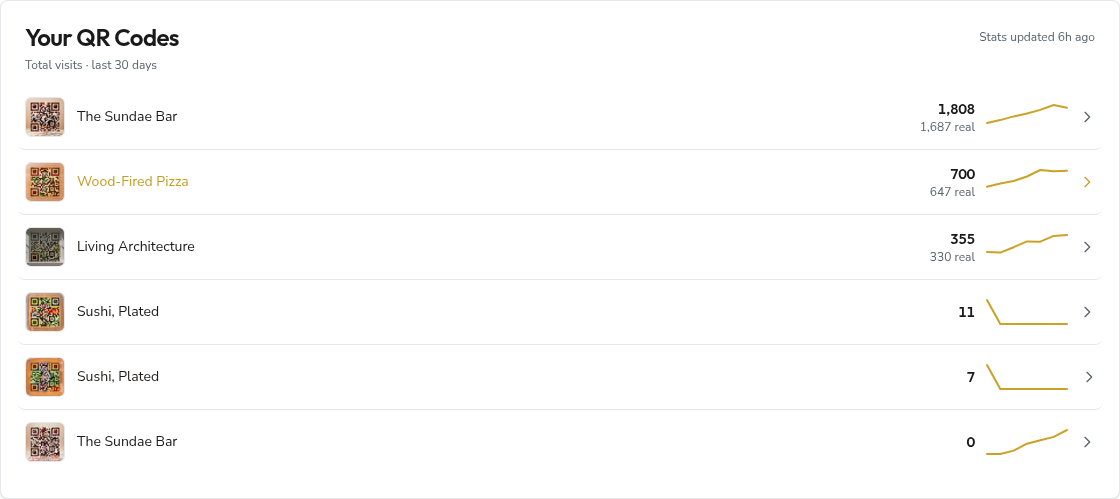
Beneath the cards sits Your QR codes — a row for every code you own. Each shows a thumbnail (hover it for a full-size preview), its visit count (the total, with real visits beneath), and a sparkline tracing the last 30 days at a glance. A "synced … ago" stamp in the corner tells you how fresh the numbers are. Click any row to open that code's full analytics.
Nothing here yet? The Browse designs quick action drops you straight into the catalogue.
Quick actions
A grid of shortcuts, My Wallet first, then Browse designs and Account & billing.

The rest are conditional:
- Vendor, Affiliate, and Producer tiles appear only if you hold that role.
- Upgrade plan is state-aware: hidden when you're already on the top tier (or have no active plan), and greyed out — with a one-line reason — while a downgrade is pending.
Frequently asked questions
Why don't I see a banner?
Because nothing urgent is happening. An active plan in good standing — no scheduled cancellation, no pending downgrade, no trial — shows the page without a banner. That's by design.
"Real visits" is lower than "Total visits" — is something wrong?
No. Total counts every scan including bots and crawlers; real visits filters for sessions consistent with a person on a real device. The gap is normal, especially once a code is indexed or shared on social media.
Can I reorder the portfolio table?
Not yet. Rows are grouped by code. Per-code depth — including custom time windows — lives on each code's analytics page, one click away.